
AI Agent Migrated Two WordPress Sites Into One Headless Storefront
A real-world case study: Claude Fable 5 inside Cursor, with Buddy as the live browser bridge, executed a full business migration — two WordPress sites to one headless Astro storefront, WooCommerce to

Squeaky Clean Turf is a family-run artificial-turf cleaning company in Phoenix, Arizona, owned and operated by David Schrimpf and Dalis Smith. When this project started they had two WordPress sites (one for services, one for their WooCommerce product line), a GoDaddy hosting bill, a Google Merchant Center account throwing misrepresentation warnings, and a GoHighLevel CRM that only half-knew what the websites were doing.
Over the course of the project, an AI agent — Claude Fable 5 running inside Cursor, with Buddy as the live browser bridge into the tools that have no usable APIs — executed the entire migration:
Two WordPress/WooCommerce sites → one headless Astro site on Cloudflare Pages
WooCommerce → Shopify — customers, orders, products, images, subscriptions
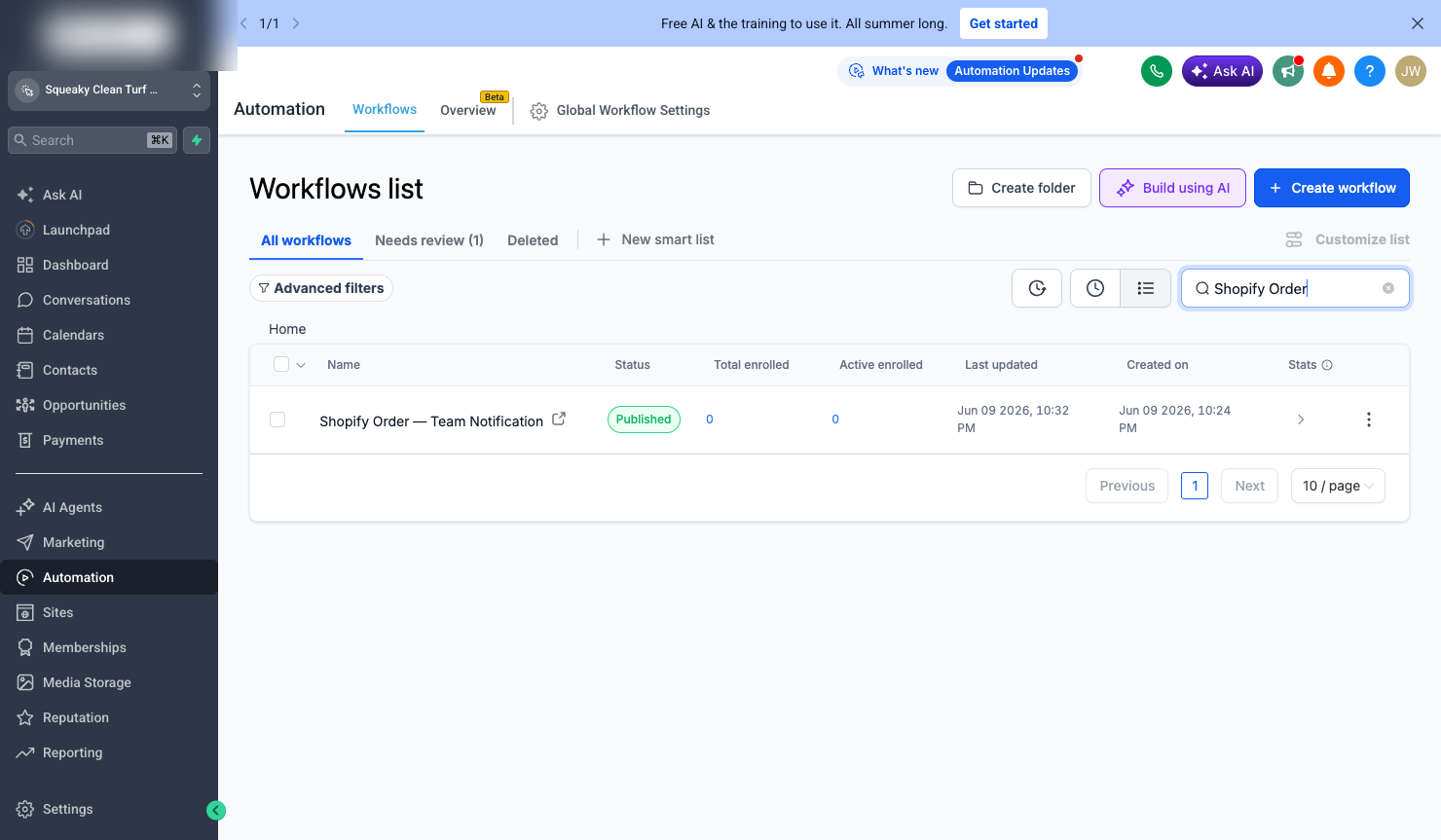
Every form, chat, order, and review → GoHighLevel, across two sub-accounts, with every published workflow tested against live execution logs
Google Merchant Center fixed — domain verification, product identifiers, measurements, and a custom product feed
SEO preserved and upgraded — 301 maps, consolidated domain authority, a full schema/E-E-A-T pass, GTM rebuilt for the new stack
The result is a faster, cheaper, safer stack — and a checkout, lead, and automation pipeline that was verified working before anyone declared victory, not after. This post documents what was done, what broke, and what an AI agent with a browser bridge changes about the economics of the whole exercise.
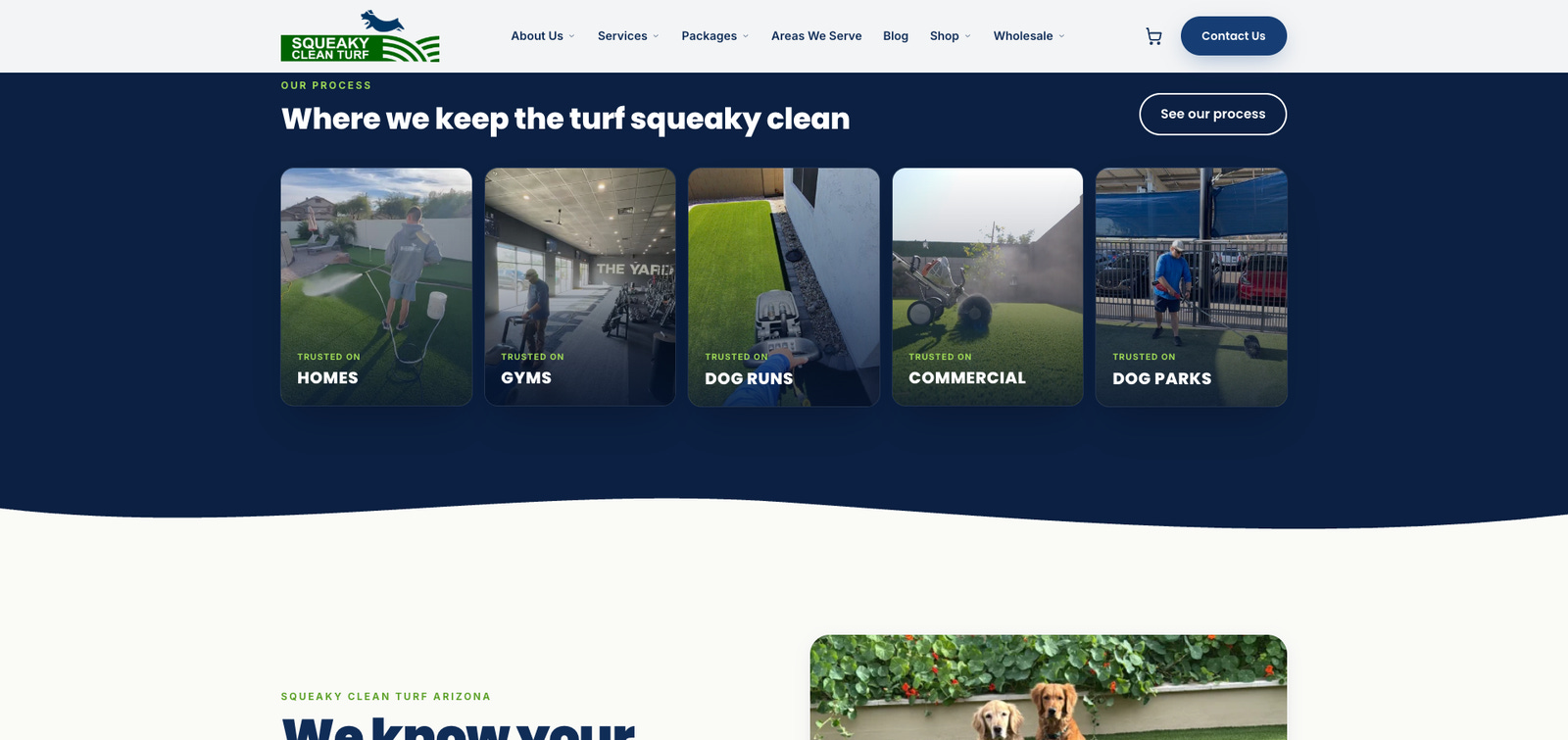
The starting point
The business: a local service company (turf deep-cleaning packages) plus a product company (their own turf cleaner, sold retail and wholesale, including a subscription).
LayerBeforeService siteWordPress on GoDaddy (squeakycleanturf.com)Product siteSeparate WordPress + WooCommerce (squeakycleanturfcleaner.com)CheckoutWooCommerce + aging payment pluginsCRM / automationsGoHighLevel, two sub-accounts, wired to WP formsShopping adsGoogle Merchant Center, flagged with errorsAnalyticsGTM configured for the old WP templates
The problems, in order of how much they were costing the owners: two domains splitting brand authority and backlinks; WooCommerce maintenance burden (plugins, PHP updates, security patches); Merchant Center misrepresentation warnings; CRM automations that fired for some channels and silently missed others; and a mobile experience that did not match desktop.
The target architecture
Why headless, in one paragraph: the site itself is static HTML served from Cloudflare’s edge — there is no origin server to hack, no plugin stack to patch, and nothing to slow down. Anything dynamic (quote forms, newsletter, the Merchant Center feed) runs as small serverless functions. Shopify handles the one thing you genuinely should not build yourself — PCI-compliant checkout — through its Storefront API. The CMS-shaped problems (content, blog, packages) live in version-controlled code, which means every content change is reviewable, diffable, and reversible.
Astro (static) on Cloudflare Pages
├── Shopify Storefront API → cart + checkout
├── Pages Functions (/api/*) → forms, newsletter, feed
├── GoHighLevel (2 sub-accounts) → CRM + automations
├── Google Tag Manager → GA4 + conversions
└── Merchant Center → custom XML product feed
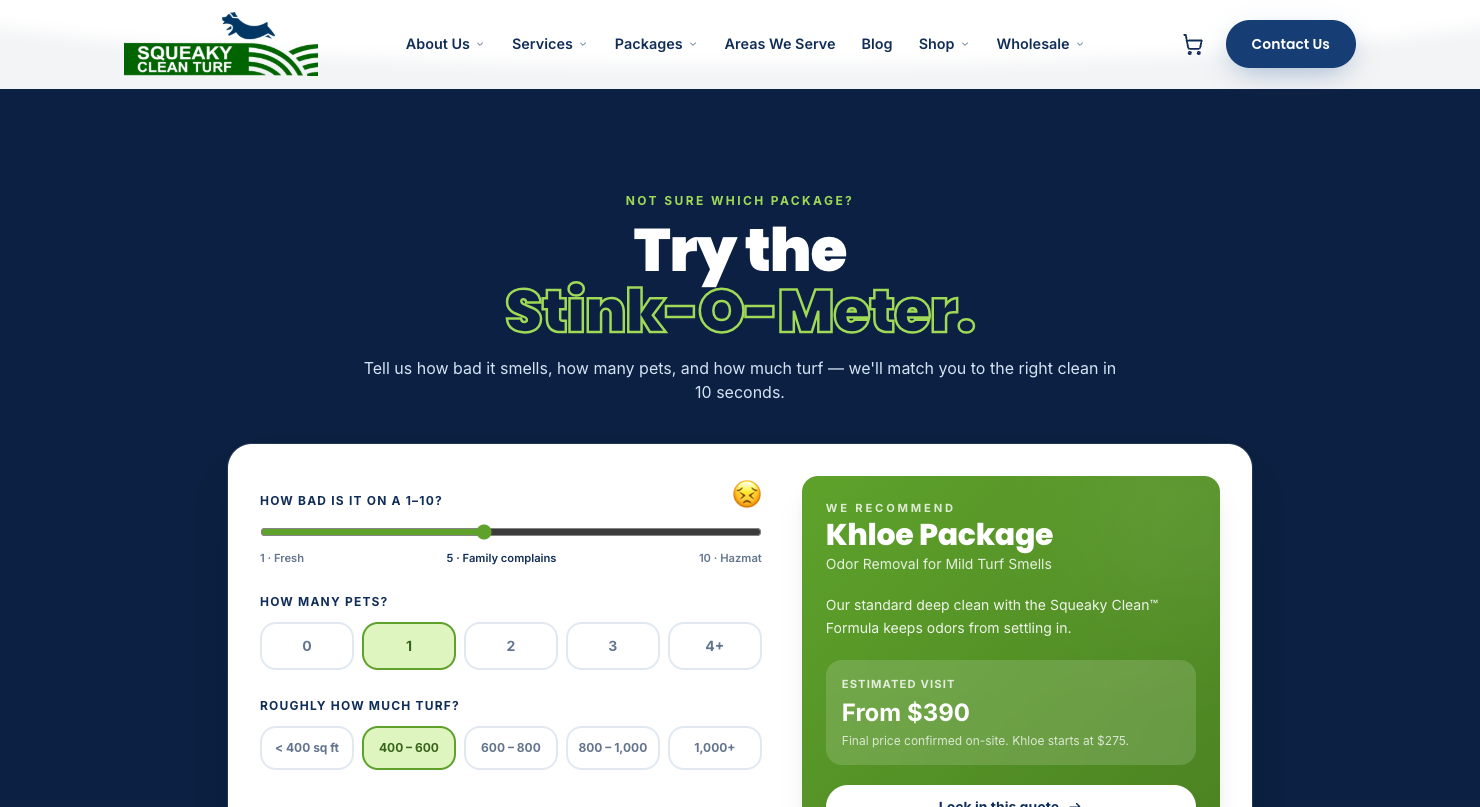
One of the rebuilt pieces the owners love most: the Stink-O-Meter, an interactive estimator that scores smell, pets, and square footage, recommends a package with live pricing, and deep-links into a pre-filled quote form. Package pricing was rebuilt as data, not prose — one source of truth that the estimator, booking widgets, and FAQ all read from.
What was actually migrated
Commerce: WooCommerce → Shopify
Exported and imported all customers (with marketing opt-in status preserved), all order history, and all products with images
Rebuilt the catalog with proper variants, retail vs. wholesale separation, and a featured 1-gallon jug monthly subscription
Configured shipping (USPS + UPS), taxes, and Shopify Payments
Flagged the two live WooCommerce subscriptions renewing in June so the owners could decide migrate-vs-cancel — active billing relationships are the one thing you never migrate silently
The site: two WordPress installs → one Astro codebase
64 static pages: services, packages, areas-served city pages, blog, shop, wholesale, about, policies
Mobile rebuilt to parity with desktop — the old mobile experience was a primary owner complaint
squeakycleanturfcleaner.com 301-redirects into squeakycleanturf.com page-by-page; removed pages got explicit redirects — never a 404 for a previously-ranking URL
CRM: every channel wired into GoHighLevel
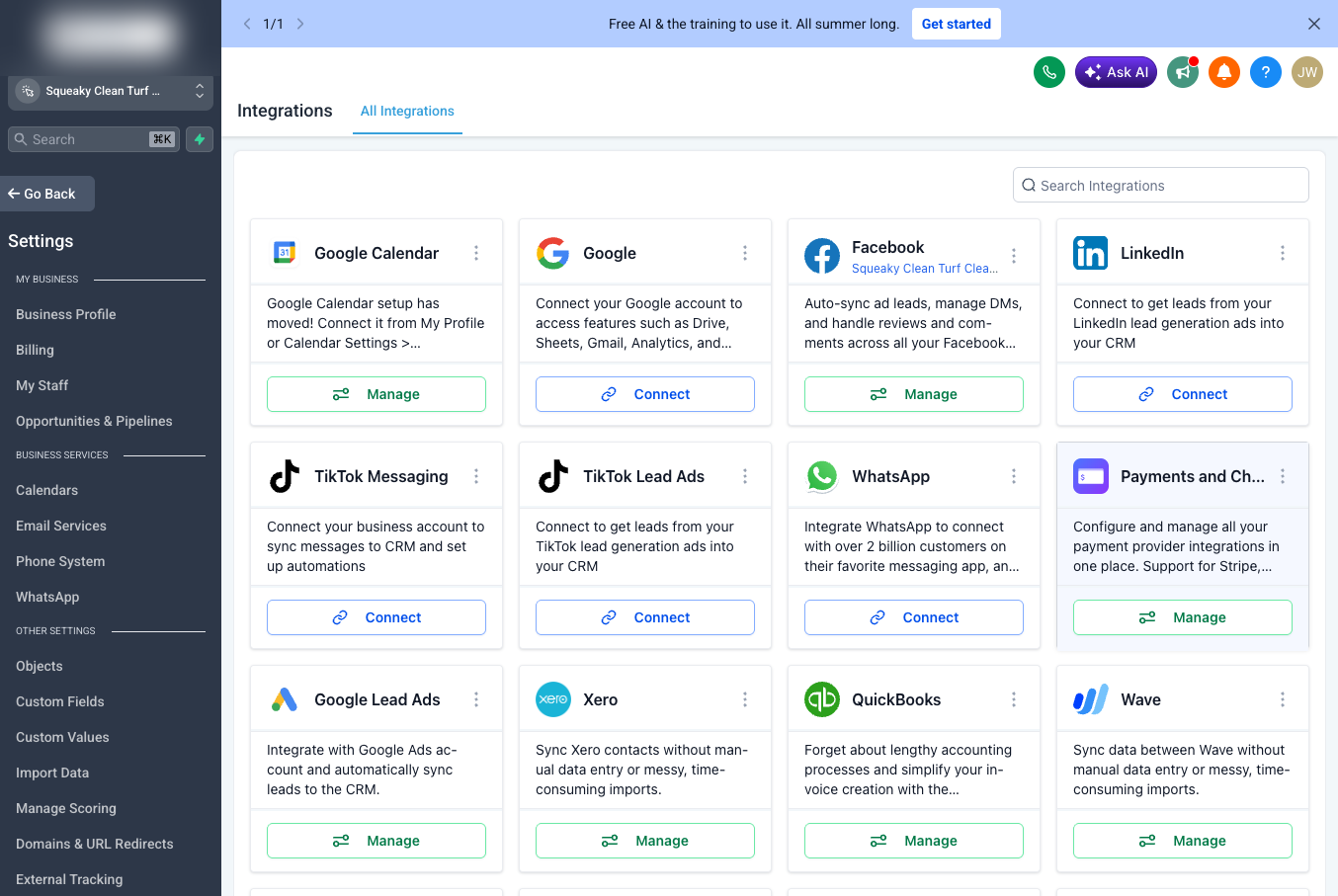
This is the part most migrations silently get wrong, so it got the most verification. Website quote form, contact form, newsletter, Shopify orders, web chat, Facebook and Instagram DMs, and Google reviews — every channel now lands in GoHighLevel with the right tags, custom fields, and downstream automation, across two sub-accounts.
Merchant Center: from “misrepresentation” to clean listings
Fixed the mismatched online store URL — the feed still pointed at the old WooCommerce domain
Wrote a custom XML product feed as a Cloudflare Pages Function — pulling live Shopify data and emitting the identifiers, measurements, and shipping attributes Google demanded
Re-verified the domain and uninstalled the half-configured Shopify Google channel that was fighting the feed
What broke, and how it got fixed
Honest migration writeups include the failure log. Here’s ours — abridged to the instructive ones.
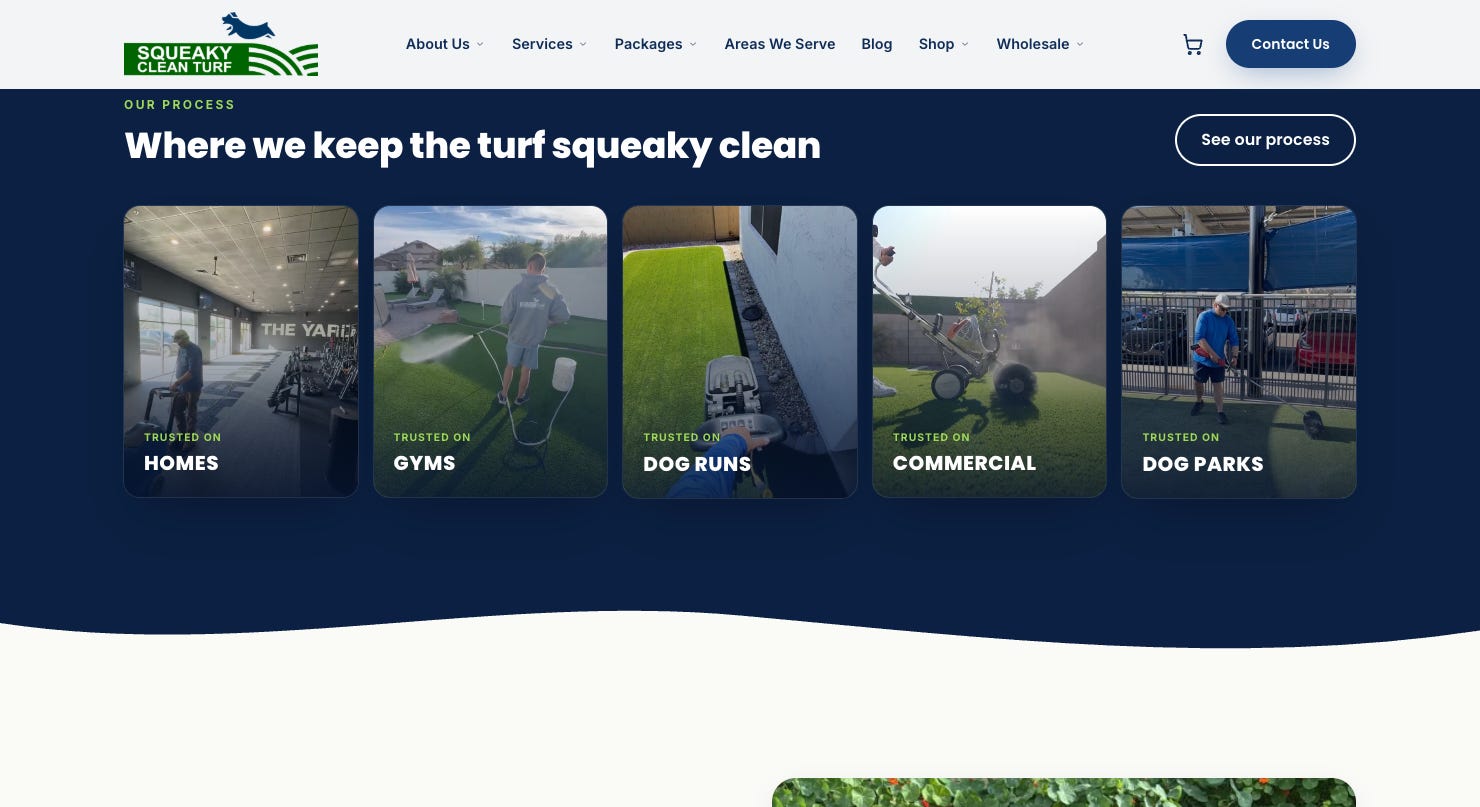
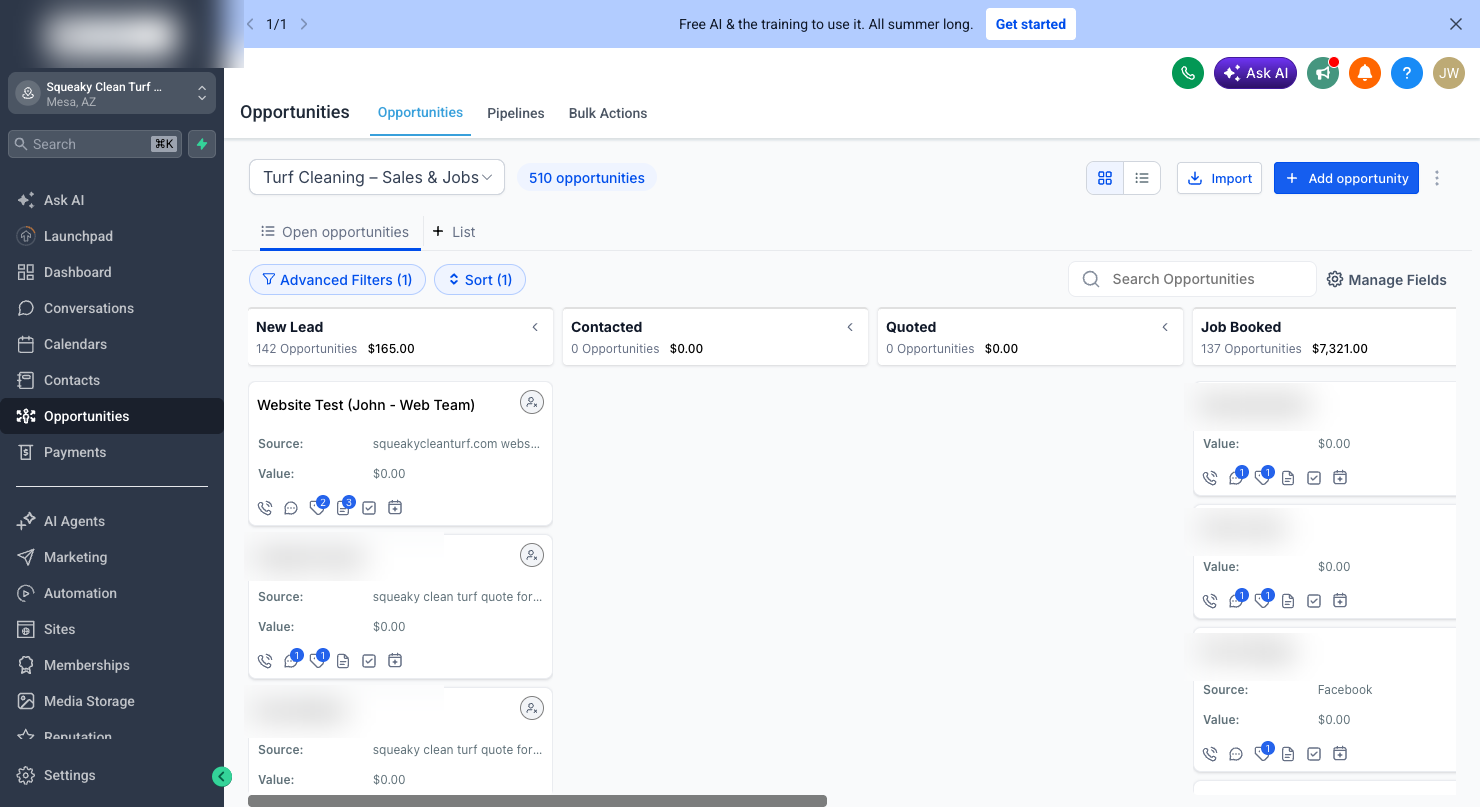
ProblemRoot causeFix”Trusted on HOMES / GYMS” tiles showed swapped imagesFiles renamed during an image update, then cached at the CDNRenamed files to force cache invalidation — cache-busting by filename beats waiting for TTLsQuote notifications going to an old agency addressLegacy workflow recipientsRecipients replaced with the two owners onlyWebsite leads not appearing in the sales pipelineThe old GHL form created opportunities; the new site’s API path didn’tAdded a Create Opportunity step — verified with a live test lead landing in “New Lead”Website leads invisible to the AI sales agentThe AI workflow only triggered on the old GHL formAdded a tag-based trigger so website quote leads also reach the agentWorkflow emails couldn’t show smell/sqft/package for website leadsThose lived in GHL custom fields the new site never populatedSite now upserts the same custom fields by key — merge tags work identically for both lead sourcesPhone-call tagging workflow: zero executions in 30 daysNo number exists in GHL’s phone system — calls ring the owners’ real lineFlagged as a business decision (tracking number vs. NAP consistency), not silently “fixed”
The part worth writing home about: an AI agent with a browser bridge
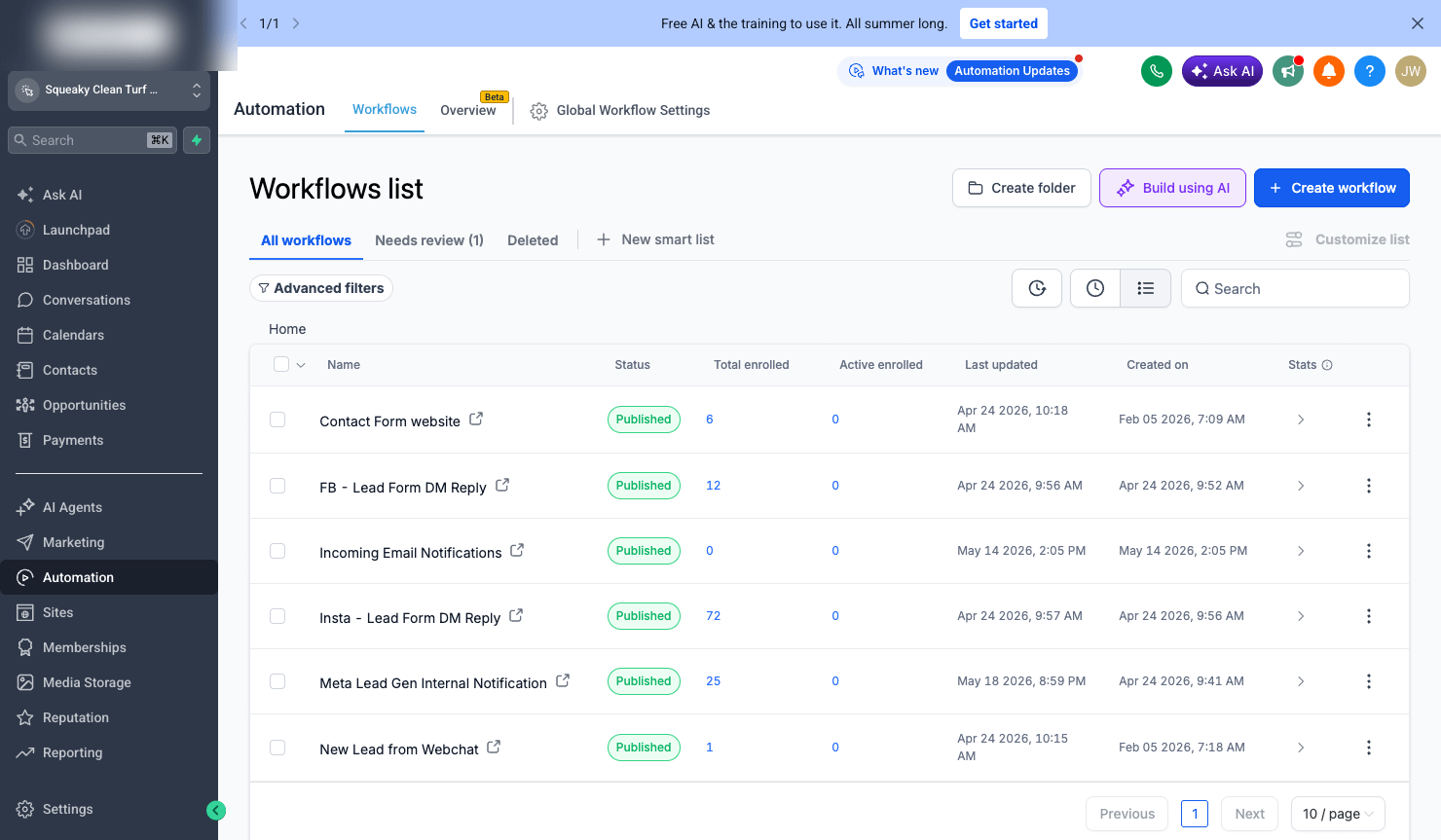
Most of the stack above has APIs. The critical 20% does not. GoHighLevel’s workflow builder has no public API for editing triggers, actions, or notification recipients. Merchant Center’s diagnostics are a UI-only experience. Shopify’s admin onboarding is click-ops.
This is where the workflow got unusual. Fable 5 ran inside Cursor with Buddy as the bridge — a persistent Chrome session the agent could drive: navigate, click, fill, screenshot, and (crucially) read — execution logs, diagnostic panels, saved-state confirmations. Fable 5’s adaptive reasoning meant the agent could plan a workflow edit, execute it across a dozen UI steps, and notice when the page state didn’t match its expectations — the kind of long-horizon judgment that separates an operator from a script.
That combination changed three things:
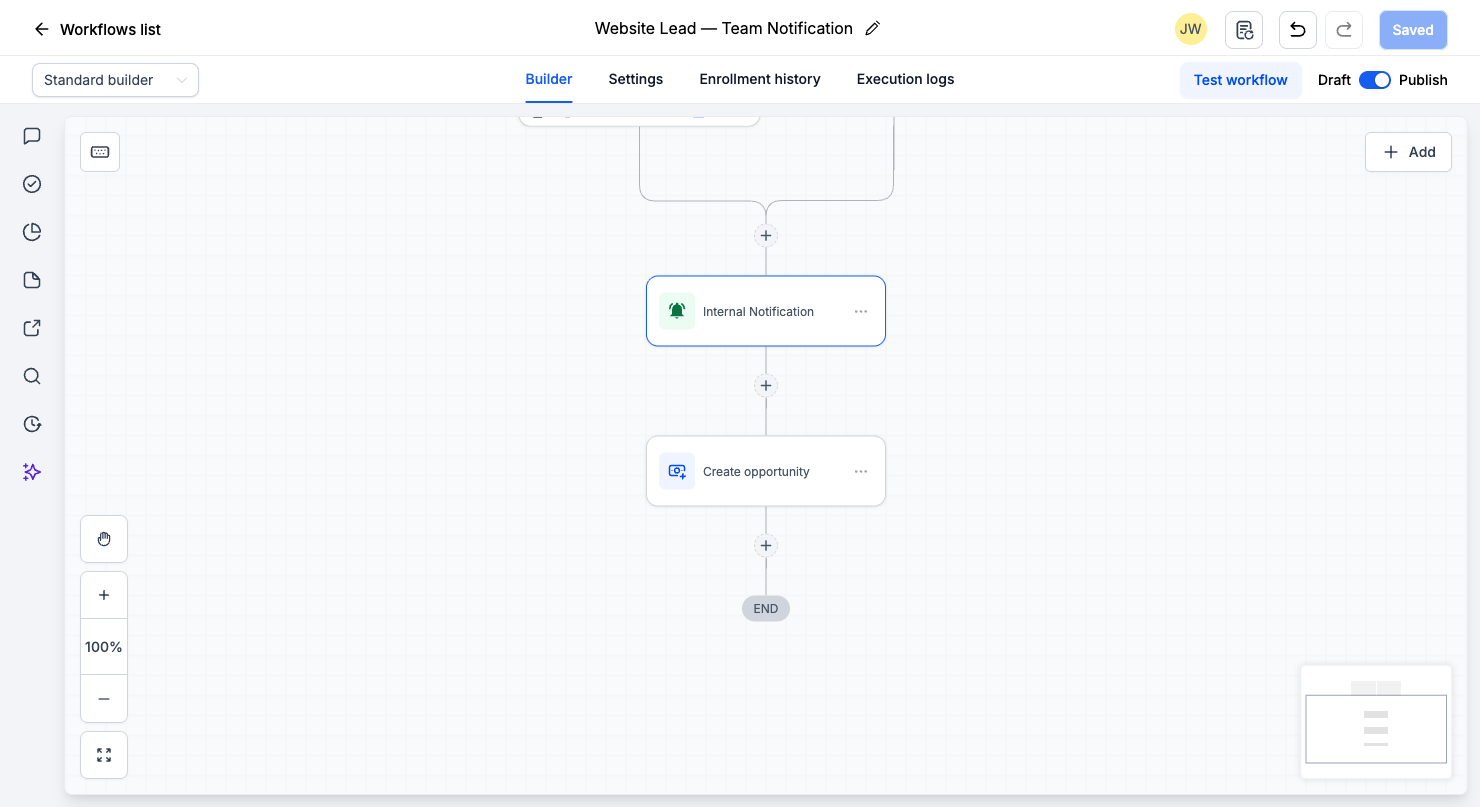
1. The no-API wall disappeared. The agent edited GHL workflow recipients, rewrote notification email bodies with merge fields, added pipeline-stage actions, and created tag-based triggers — all through the same UI a human VA would use, but with every step screenshotted and verifiable.
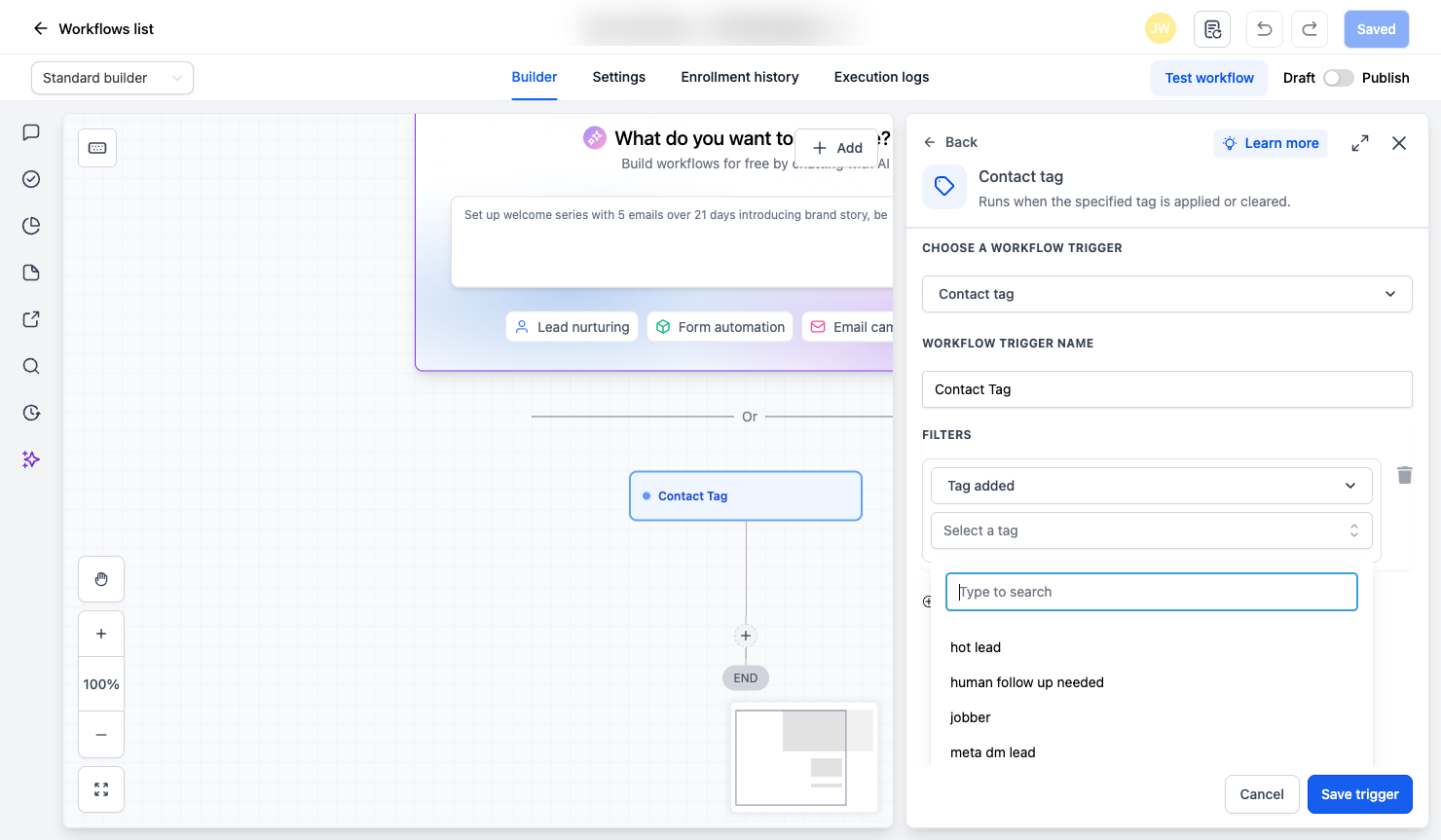
2. Verification became evidence-based, not vibes-based. “The form works” was demonstrated by: submit a live test on the production site → watch the contact appear in GHL with custom fields → watch the workflow execution log show Internal Notification ✓ and Create Opportunity ✓ → see the test lead sitting in the pipeline’s New Lead column → delete the test data. Every published workflow with real enrollments — fourteen of them — was checked against its execution logs the same way.
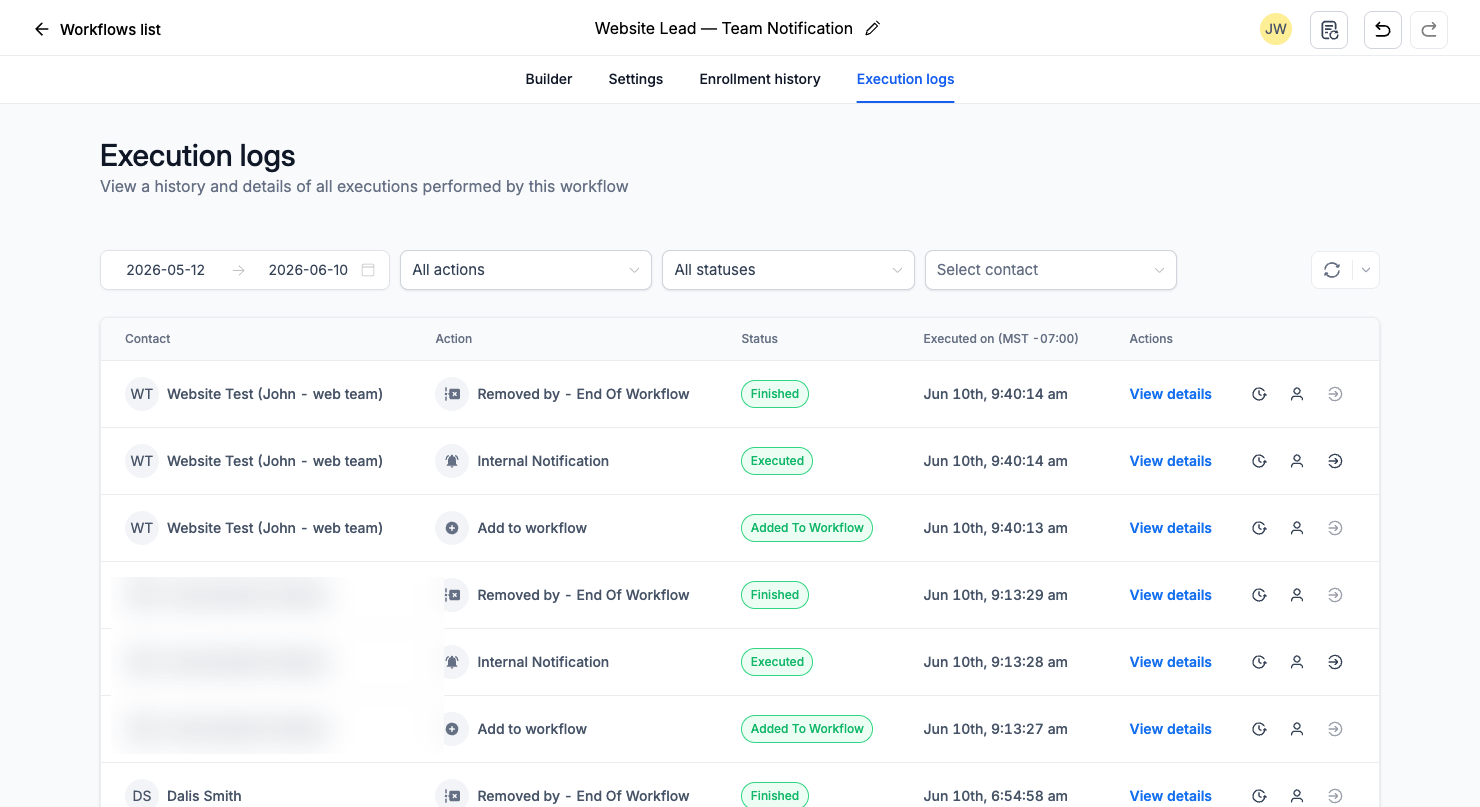
3. The audit loop closed in hours, not weeks. Finding an old agency email address buried in a notification action, or noticing a phone workflow had never fired in 30 days, is exactly the kind of thing that survives years in a normal handover. A bridge-equipped agent walks every workflow, opens every action, and reads every log — because doing so costs minutes.
Why Fable 5 + Cursor mattered
I have written before about bringing Claude Fable 5 into Buddy’s model picker. This project is what that class of model looks like applied to real operations work:
Adaptive depth. Fable 5 decides how hard to think per task. Renaming an image file gets a fast pass; reconciling two sub-accounts’ automation inventories against five lead channels gets full-depth reasoning. Nobody tunes a dial.
Code and operations in one loop. The same session that wrote the Astro components and the Merchant Center feed function also drove the GHL workflow builder and read Shopify’s admin. No handoff between “the developer” and “the person who configures the CRM” — which is precisely where context dies in traditional projects.
Cursor as the cockpit. Version-controlled code, terminal, and the browser bridge live in one place. Every site change was a reviewable diff; every UI change was a screenshot. The owners could see exactly what changed and why.
The economics. The glue work — the part agencies quote weeks for, the part that always ships half-verified — collapsed into hours. Not because the model typed faster, but because the verify-fix-reverify loop had no human context-switching cost.
The takeaway: the bridge is what makes an agent an operator instead of a code generator. When the agent can see what the customer sees, click what the admin clicks, and read what the auditor reads, “done” stops meaning “deployed” and starts meaning “verified.”
Industry questions this project answers
“Will migrating platforms tank my SEO?”
Not if you treat URLs as contracts. Page-level 301s wherever a real equivalent exists; explicit redirects even for pages you’re killing; Search Console re-verified before cutover and sitemaps resubmitted immediately after; NAP kept identical to Google Business Profile. Consolidating two related domains usually helps — it concentrates link equity instead of splitting it.
“Is a headless/static site bad for SEO?”
It’s the opposite, with one caveat. Static HTML at the edge means fast LCP, no render-blocking plugin soup, and content fully present in the initial response. The caveat: schema, meta, redirects, and feeds don’t come from plugins anymore. You own them in code. More work up front, far more control forever after.
“What about E-E-A-T and AI search?”
The same pass that helps Google’s quality systems helps LLM-driven search: LocalBusiness schema with real founders as Person entities, Service schema with real Offer pricing, FAQPage answers that match what’s visibly on the page — and removing claims that weren’t true anymore. AI systems increasingly cross-reference; inconsistency is the new thin content.
“Do I lose my CRM automations when the website changes?”
This is the most under-discussed migration risk. Forms are easy to rebuild; the wiring behind them is where businesses silently lose leads. The fix pattern from this project: make the new site populate the same custom fields by key the old forms used, then add tag-based triggers alongside the legacy form triggers — both lead sources flow through identical downstream automation.
The measurable benefits
DimensionBeforeAfterHostingGoDaddy WP hosting × 2Cloudflare Pages (effectively $0 at this scale)Attack surfaceWordPress core + plugins × 2 sitesStatic HTML + 4 small serverless functionsCheckoutWooCommerce plugin chainShopify (PCI handled, Shop Pay, native UPS/USPS)Lead captureWP forms, partially wiredEvery channel verified into GHL with logged executionsContent changesWP admin, unversionedGit — reviewable, diffable, instantly deployedDeploysFTP-era~20 seconds to global edgeShopping adsMisrepresentation warningsClean custom feed with full attributes
A reusable migration checklist
Inventory before you touch anything — every URL, form, automation, feed, and subscription
Map URLs page-by-page; write 301s for everything, including pages you’re killing
Migrate commerce data first (customers → orders → products) and reconcile counts
Never silently migrate active billing — surface subscriptions for a human decision
Rebuild forms to populate the same CRM fields by key — not just the same visible inputs
Add new triggers alongside legacy ones; don’t rip and replace
Own your schema in code: LocalBusiness, Person/founders, Service+Offer, FAQPage
Custom product feed if Merchant Center complains — a 100-line serverless function beats fighting a plugin
Cache-bust by renaming files, not by waiting
Live-test the full chain in production with labeled test data, verify against execution logs, then clean up
Walk every automation’s execution history — zero executions in 30 days is a finding, not a footnote
Write down what you intentionally didn’t change so future-you doesn’t “fix” it
Want eyes like this on your stack?
Buddy — the same agent that bridged this migration — audits Google Ads accounts live, verifies conversion tracking in a real browser, researches your market, and hands you a prioritized fix list with real numbers. Free credits to start; bring your own API key if you prefer.
Closing thought
The interesting part of this migration isn’t Astro, or Shopify, or even the SEO mechanics — those are all well-documented individually. The interesting part is that the glue work — the part agencies quote weeks for, the part that always ships half-verified — was done by an AI agent that could write the code and drive the browser and read the logs that prove the system works.
When the agent can see what the customer sees, click what the admin clicks, and read what the auditor reads, “done” stops meaning “deployed” and starts meaning “verified.”
— John